







Introduction: The Future of Online Stores
Shoes Shopping Website with Lovable AI is easier than ever to build. In this tutorial, we’ll guide you step-by-step to create a modern sneakers & leather shoe store. Building an e-commerce store used to mean months of coding, hiring developers, or paying for complicated platforms. But in 2025, things are different. With Lovable AI, you can create a professional shopping website just by chatting with an AI.
In this tutorial, we’ll build a Shoes Shopping Website where you can sell sneakers, leather shoes, loafers, and more. By the end, you’ll have a ready-to-launch online store — no coding required.
👉 What we’ll cover in this guide:
- Step-by-step walkthrough of building the site on Lovable AI
- Prompt “cheat codes” for stunning layouts and effects
- Adding a cart, checkout, and Stripe payments
- SEO & Google AdSense tips for monetization
- FAQs and pro tips to make your store successful
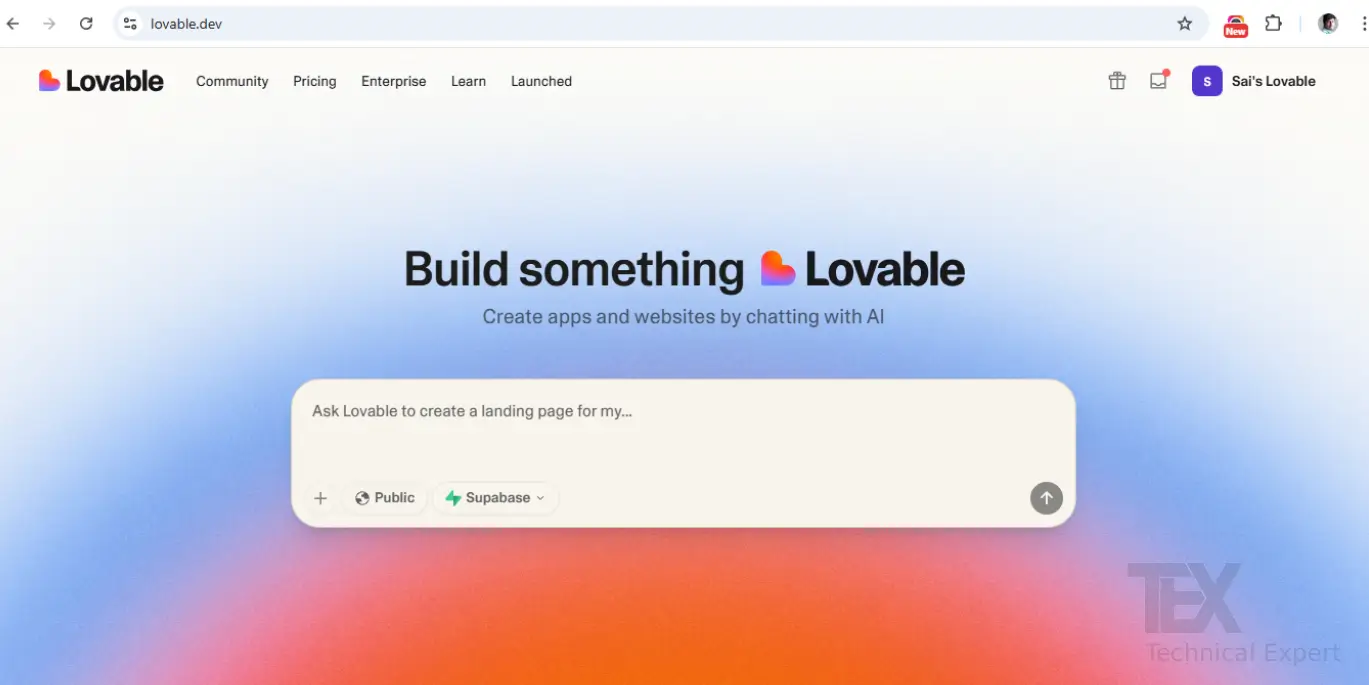
Step 1: Getting Started with Lovable AI
- Go to Lovable.dev
- Sign up (you can use Google, GitHub, or email)
- From your dashboard, click “New Project”
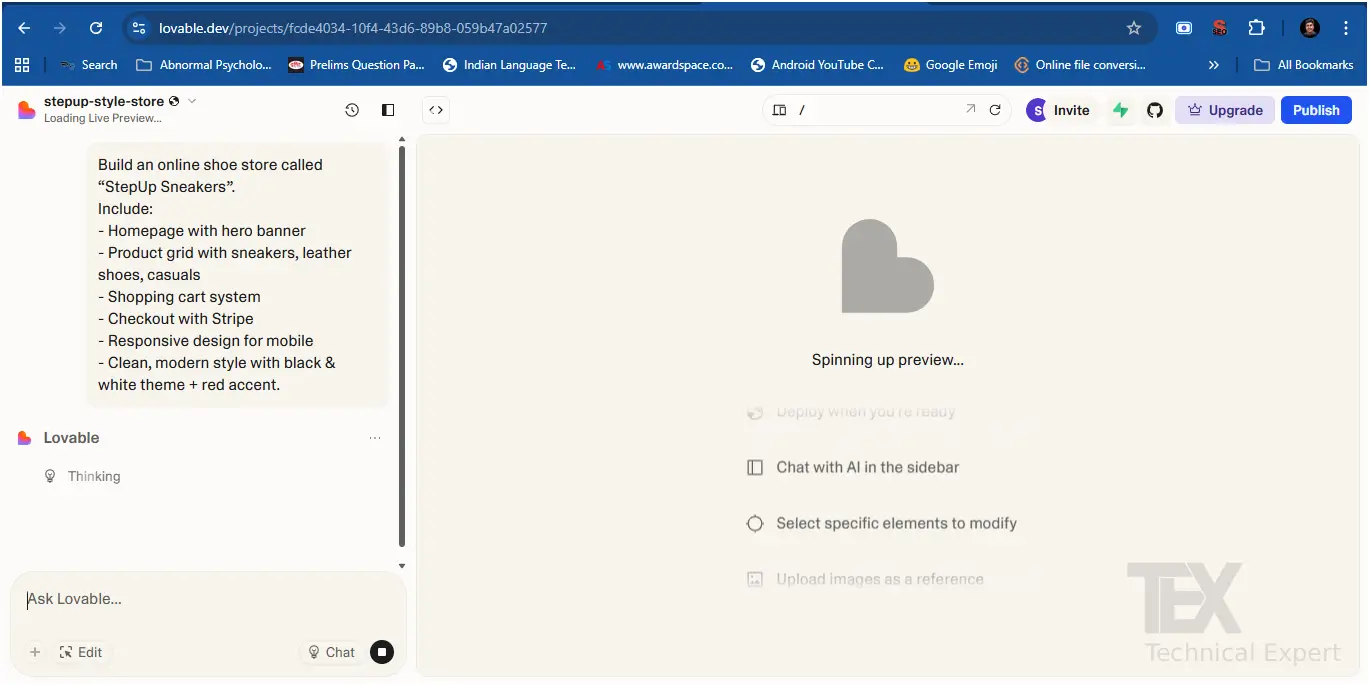
💬 Prompt #1 (Basic Store Setup):
Build an online shoe store called “StepUp Sneakers”. Include:
- Homepage with hero banner
- Product grid with sneakers, leather shoes, casuals
- Shopping cart system
- Checkout with Stripe
- Responsive design for mobile
- Clean, modern style with black & white theme + red accent.
Step 2: Designing a Stunning Homepage
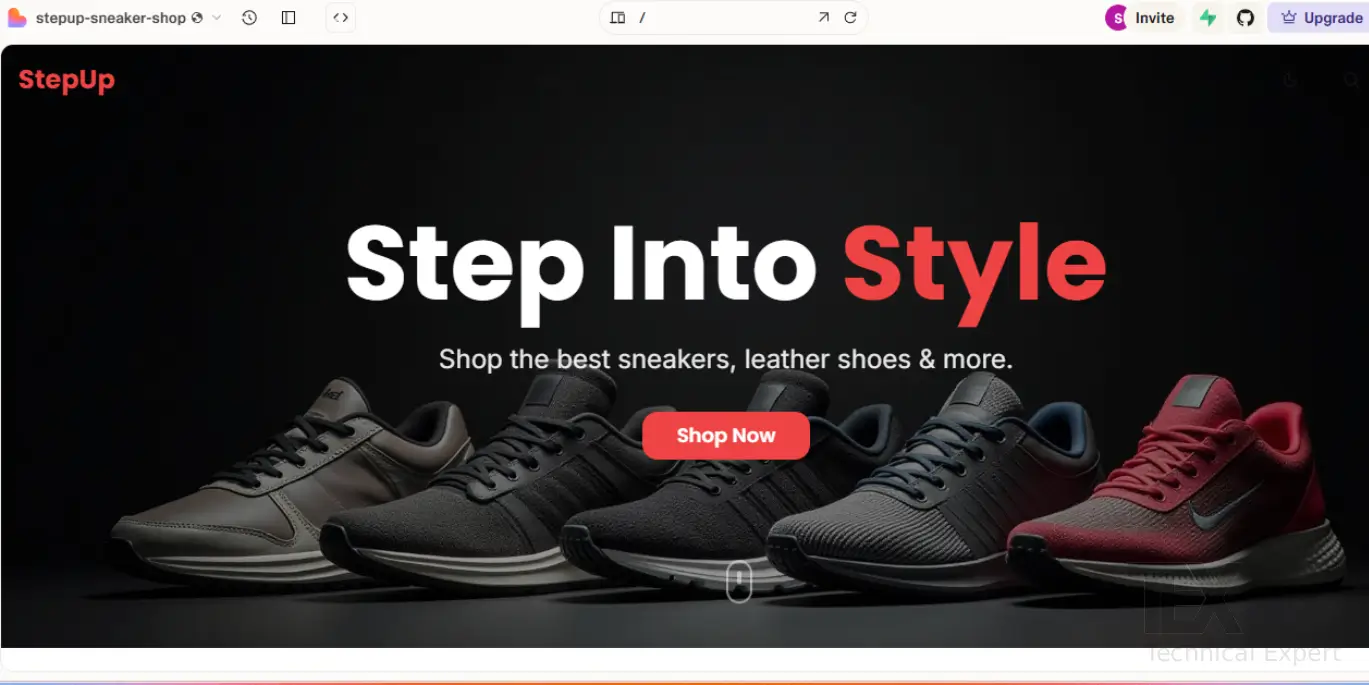
The homepage is the digital storefront of your shoe brand.
💬 Prompt #2 (Hero Section):
Add a hero banner with a full-width background image of sneakers.
Headline: “Step Into Style”
Subtext: “Shop the best sneakers, leather shoes & more.”
CTA Button: “Shop Now” → scroll to product grid.
💬 Prompt #3 (Navbar):
Add a sticky navigation bar with logo “StepUp” and menu: Home, Shop, About, Contact. Add a cart icon on the right.
💬 Prompt #4 (Footer):
Add a footer with links: Privacy Policy, Returns, FAQs, Contact. Add social icons for Instagram and Facebook.
Creating the Product Grid
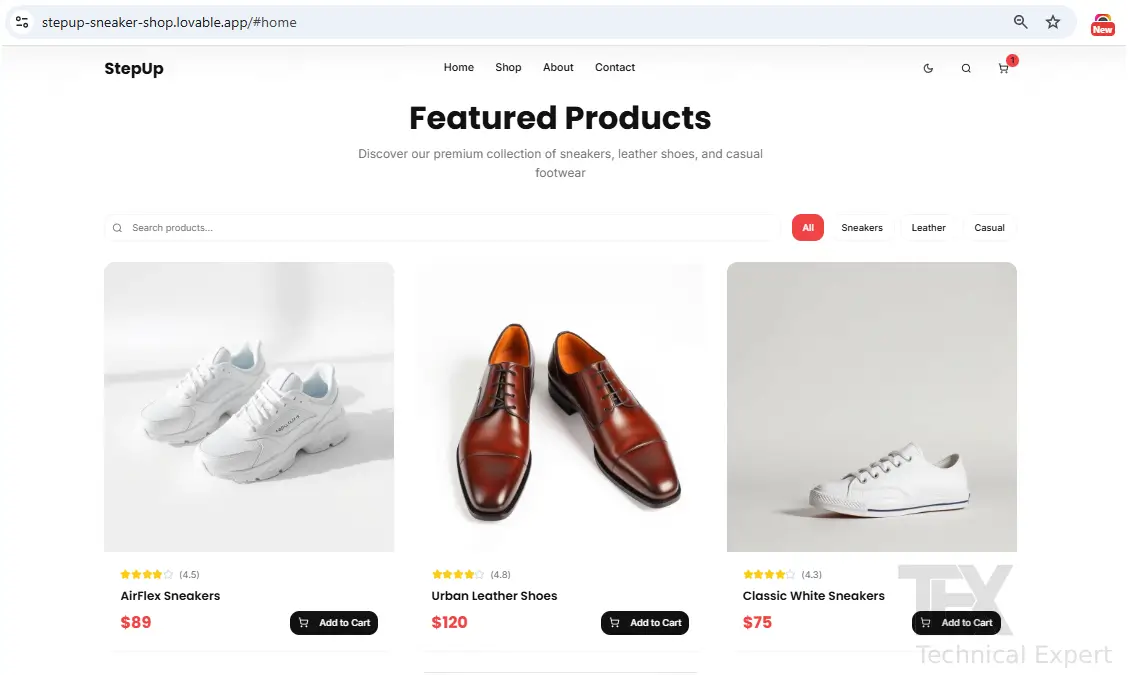
Here’s where your products shine.
💬 Prompt #5 (Grid Setup):
Add a 3-column product grid.
Each card should include:
- Product image
- Name
- Price
- “Add to Cart” button
Example products:
1. AirFlex Sneakers – $89
2. Urban Leather Shoes – $120
3. Classic White Sneakers – $75
4. Running Pro Shoes – $95
5. Premium Loafers – $150
💬 Cheat Prompt (Hover Effect):
Add hover effect: zoom in product image slightly and show shadow.
Step 4: Shopping Cart & Checkout Integration
E-commerce = Cart + Checkout. Luckily, Lovable makes it easy.
💬 Prompt #6 (Cart System):
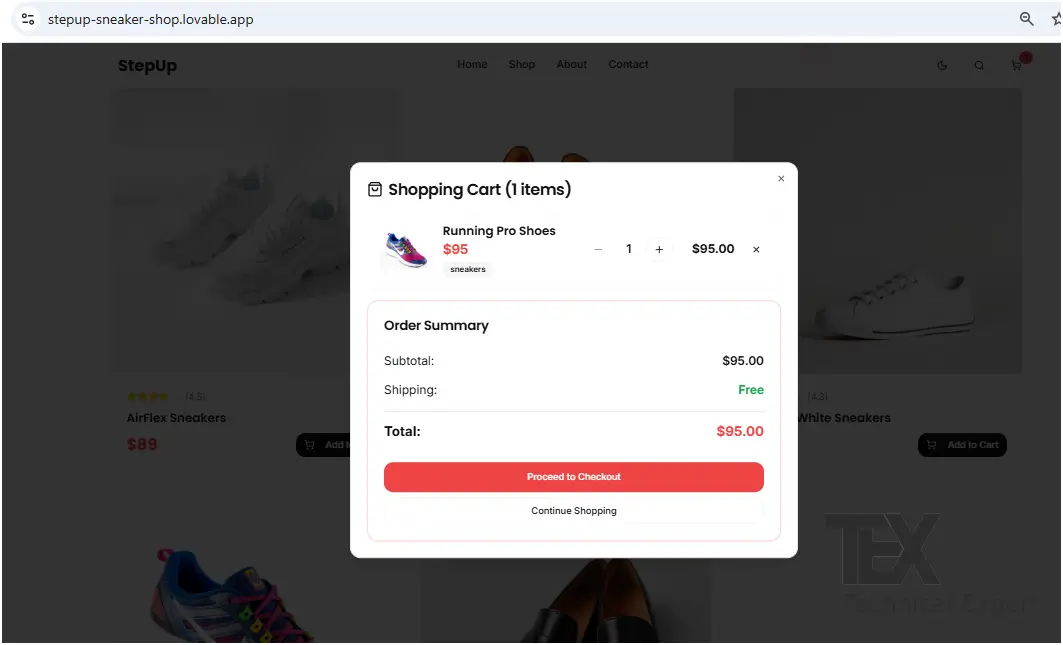
Add a shopping cart page that shows products added with image, name, quantity, price, and total. Include “Update Quantity” and “Remove Item” options.
💬 Prompt #7 (Stripe Checkout):
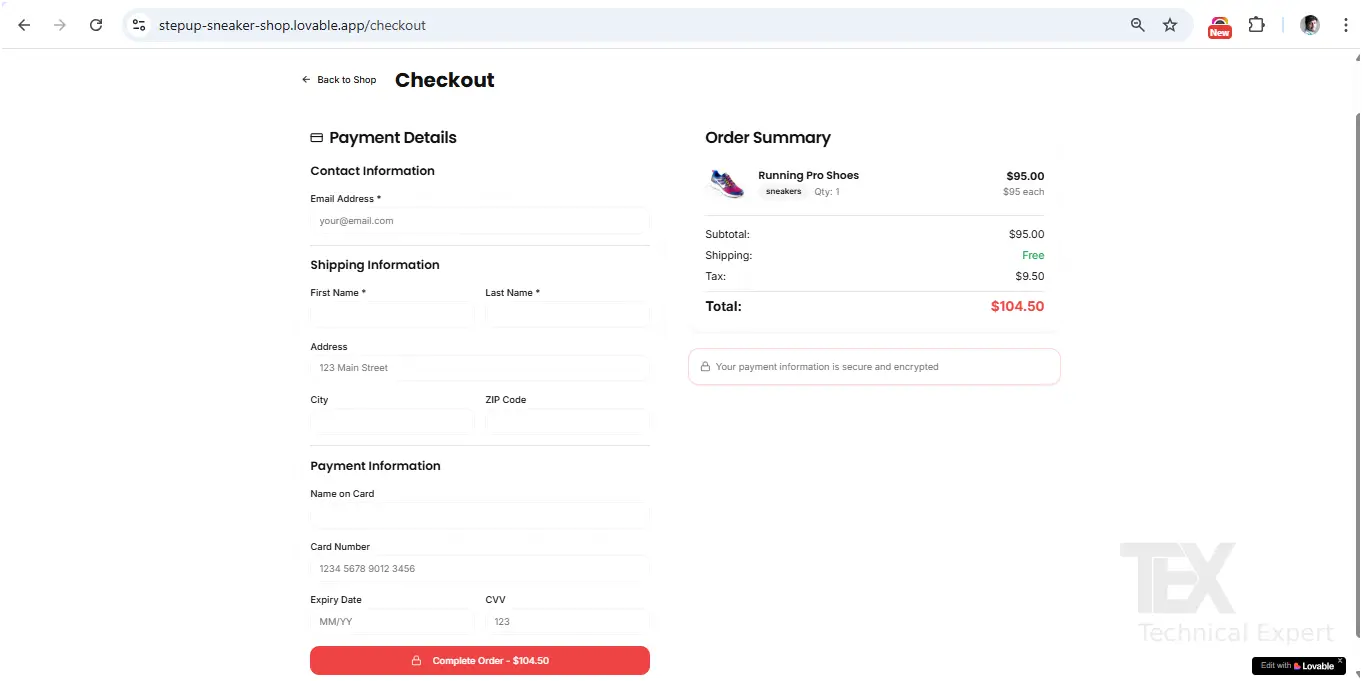
Integrate Stripe checkout. Add a button “Proceed to Checkout” that redirects to Stripe payment page.
Step 5: Styling the Store (Pro Cheat Codes)
Here’s how to make your store look premium:
Fonts & Colors
- “Use Poppins font for headings and Inter for body.”
- “Add red accent for buttons with hover glow.”
Animations & Effects
- “Make product cards glassmorphism style.”
- “Add fade-in animation when scrolling down.”
- “Add glowing border effect on hover.”
Mobile Optimization
Make the product grid responsive: 1 column on mobile, 2 on tablet, 3 on desktop.
Step 6: SEO & Google AdSense Prep
To get AdSense approval, your site needs:
- Unique content
- Proper meta tags
- Clear navigation
- Fast load times
💬 Prompt (SEO Meta Tags):
Add meta title: “StepUp Sneakers – Shop Sneakers, Leather Shoes & Footwear Online”
Add meta description: “Buy sneakers, leather shoes & casual footwear at StepUp. Stylish, comfortable & affordable. Free shipping available.”
Add OpenGraph image for sharing.
💬 Prompt (Performance):
Optimize product images for web. Enable lazy loading.
Step 7: Launching Your Shoe Store
- Click Launch in Lovable
- You’ll get a live URL like
stepup.lovable.dev - Connect your custom domain (
stepupsneakers.com) - Done — your store is live worldwide 🚀
Step 8: Pro Features to Add
- ✅ Newsletter signup (Mailchimp integration)
- ✅ Reviews & Ratings under each product
- ✅ Discount Coupons
- ✅ AI Chatbot for shoe size help
- ✅ Blog for SEO traffic
💬 Example Prompt (Blog Section):
Add a blog section with articles about sneaker trends, shoe care, and fashion tips.
Master prompt
Build a responsive online shoe store called “StepUp Sneakers”.
Requirements:
1. Homepage:
- Hero banner with full-width sneaker background.
- Headline: “Step Into Style”
- Subtext: “Shop the best sneakers, leather shoes & more.”
- CTA button: “Shop Now” → scrolls to product grid.
- Sticky navigation bar with logo “StepUp” and menu: Home, Shop, About, Contact + cart icon on right.
- Footer with Privacy Policy, Returns, FAQs, Contact + Instagram & Facebook icons.
2. Product Grid:
- 3-column responsive grid (1 col mobile, 2 tablet, 3 desktop).
- Each product card shows image, name, price, and “Add to Cart” button.
- Sample products:
- AirFlex Sneakers – $89
- Urban Leather Shoes – $120
- Classic White Sneakers – $75
- Running Pro Shoes – $95
- Premium Loafers – $150
- Hover effect: zoom in image + shadow.
3. Cart & Checkout:
- Shopping cart page with product image, name, price, quantity, total.
- Buttons: Update Quantity, Remove Item, Proceed to Checkout.
- Stripe integration for checkout.
4. Styling & UX:
- Fonts: Poppins for headings, Inter for body.
- Colors: black & white theme with red accent for buttons.
- Effects: smooth fade-in animations on scroll, glowing hover effect on buttons, glassmorphism product cards.
- Floating cart icon showing item count.
- Search bar above product grid + filters (Sneakers, Leather, Casual).
5. SEO & Optimization:
- Meta title: “StepUp Sneakers – Shop Sneakers, Leather Shoes & Footwear Online”
- Meta description: “Buy premium sneakers, leather shoes & casual footwear at StepUp. Stylish, comfortable & affordable. Free shipping available.”
- Add OpenGraph image for sharing. - Optimize all product images + enable lazy loading.
6. Extras:
- Newsletter signup form (Mailchimp).
- Customer review stars under each product card.
- Coupon code option at checkout. - Blog section with 3 sample posts (topics: Sneaker Trends, Shoe Care, Fashion Tips).
- Dark mode toggle in navbar.
Finally, make the website clean, modern, and professional with a premium e-commerce look. Deploy it with a live preview link.
📌 Did You Know?
💡 The global footwear market is projected to reach $543 billion by 2030. Sneakers alone make up 45% of online footwear sales!
❓ FAQs
Q1: Can I use Lovable AI without coding skills?
👉 Yes! Lovable is built for non-coders — prompts handle the coding for you.
Q2: How do I add real products instead of demo ones?
👉 Replace sample images and prices with your actual product catalog. You can link payment processing via Stripe or PayPal.
Q3: Can I get AdSense approval with a shopping site?
👉 Yes, but add a blog section with original content (guides, fashion tips, shoe care). Google loves content + commerce combos.
Q4: Can I scale my Lovable site as my business grows?
👉 Yes, you can add new categories, advanced checkout, or even migrate code if you need deeper customization later.
Q5: Is Lovable free to use?
👉 It has a free tier for building and testing, but advanced features (hosting, custom domain, agent mode) may require paid plans.
Conclusion: From Idea to Store in Hours
With Lovable AI, you can build a Sneakers & Shoes Store in less than an afternoon. From homepage design to checkout integration, you only need clear prompts.
The best part? Your site is unique, SEO-ready, and AdSense-friendly — meaning you can make money both by selling shoes and running ads.
So go ahead: log in, try the prompts above, and launch your own StepUp Sneakers store today. The future of e-commerce is AI-powered — and you’re already ahead of the curve.